← All guides

Design and order a made-to-measure garment

Pick fabric, colour, fit and style with real photos, check your Purchase Order, pay and place the order.

Open this page ↗
1

Tell us who it is for

Choose a garment on the home page, then enter the name and a 10-digit mobile number. The number is how you track the order later and how we reach you.
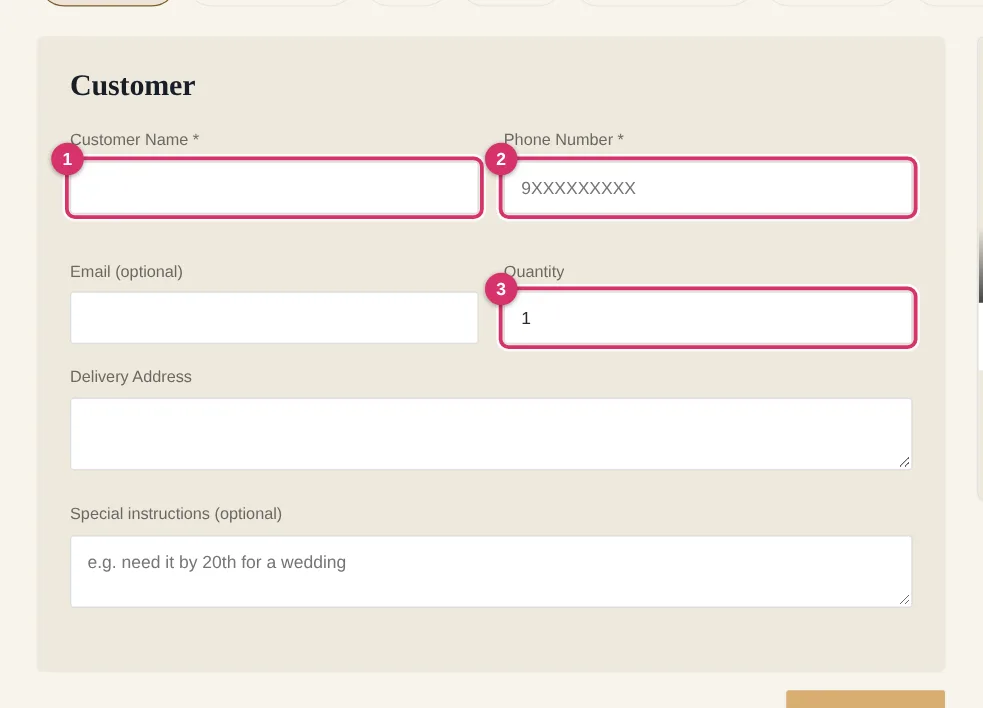
Tell us who it is for
  1. 1 Your name
  2. 2 Mobile number
  3. 3 How many pieces
2

Enter your measurements

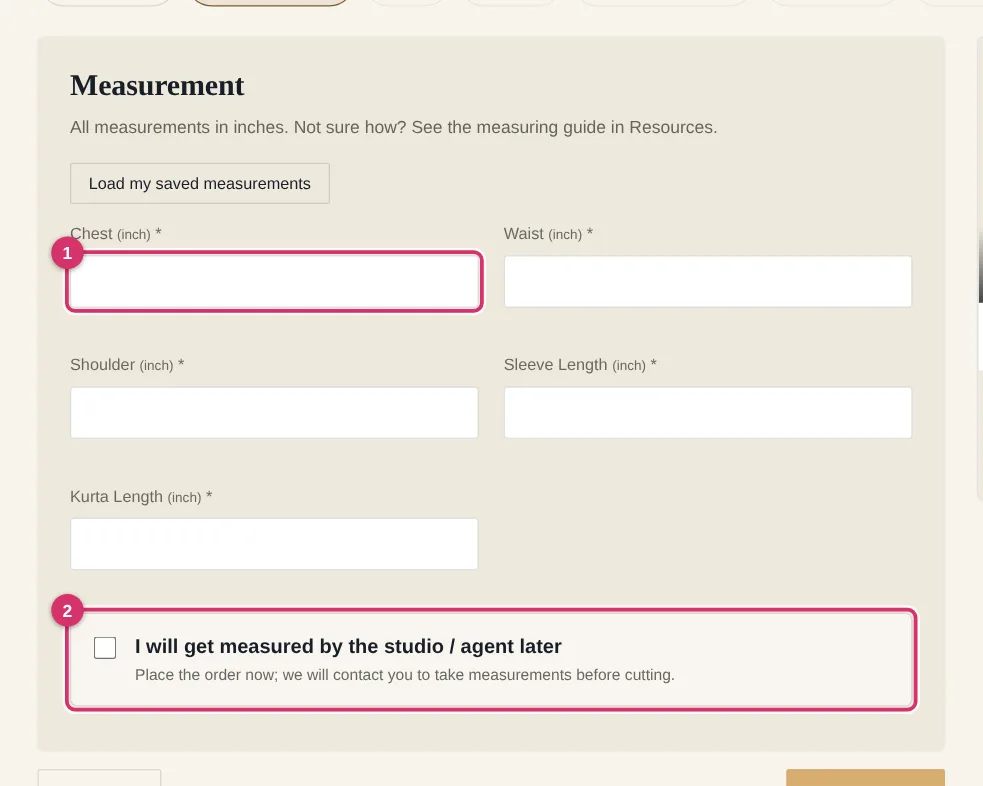
Fill every field marked * in inches. Not sure how to measure? Open the measuring guide first. If you would rather be measured by us, tick “measure me later” — the studio will contact you before cutting.

⚠ Be careful: Wrong measurements are the #1 reason for alterations. Measure twice.
Enter your measurements
  1. 1 Type each measurement in inches
  2. 2 Or let the studio measure you later
3

Choose fit and style from photos

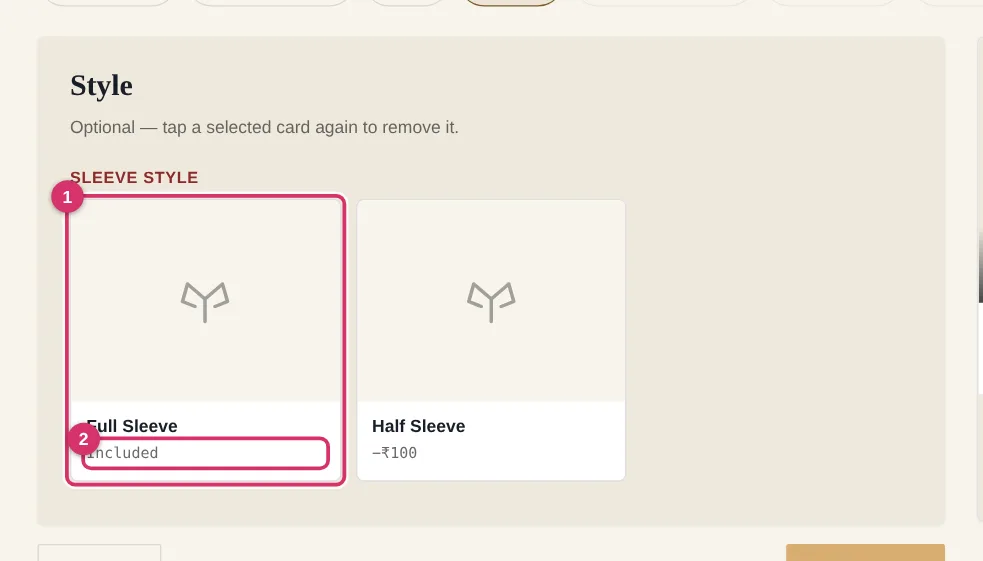
Each card shows a real photo and what it adds to the price. Tap a card to select it; tap again to remove it. Fit, style, interlining, pockets and buttons are all optional.

Choose fit and style from photos
  1. 1 Tap a card to choose it
  2. 2 Extra cost for this option
4

Pick fabric and colour

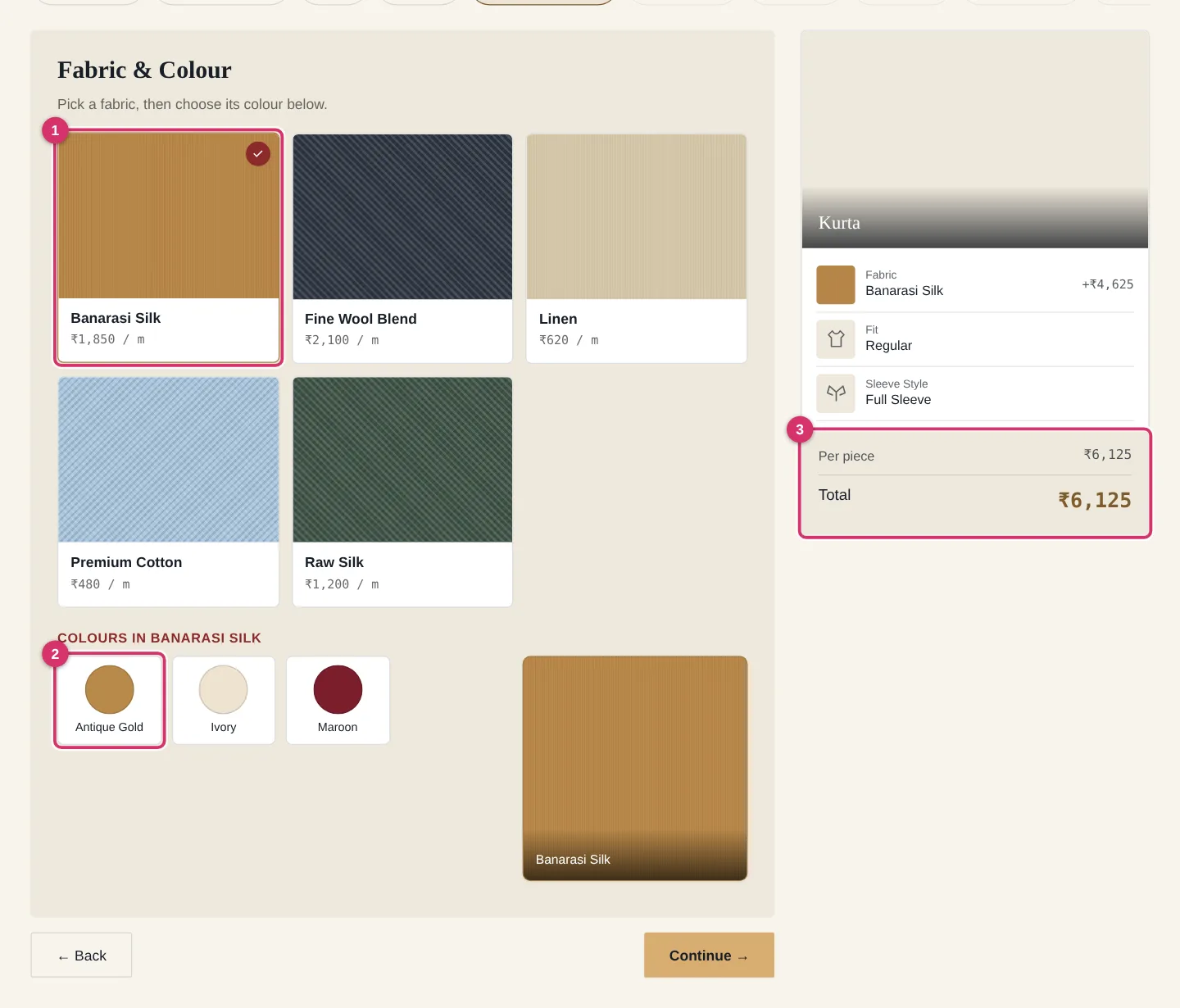
Choose a fabric first, then one of its colours. The preview on the right shows the fabric in your colour and the total updates instantly. “Low stock” means only a few metres are left.

Pick fabric and colour
  1. 1 Fabric
  2. 2 Colours of that fabric
  3. 3 Live total
5

Check your Purchase Order

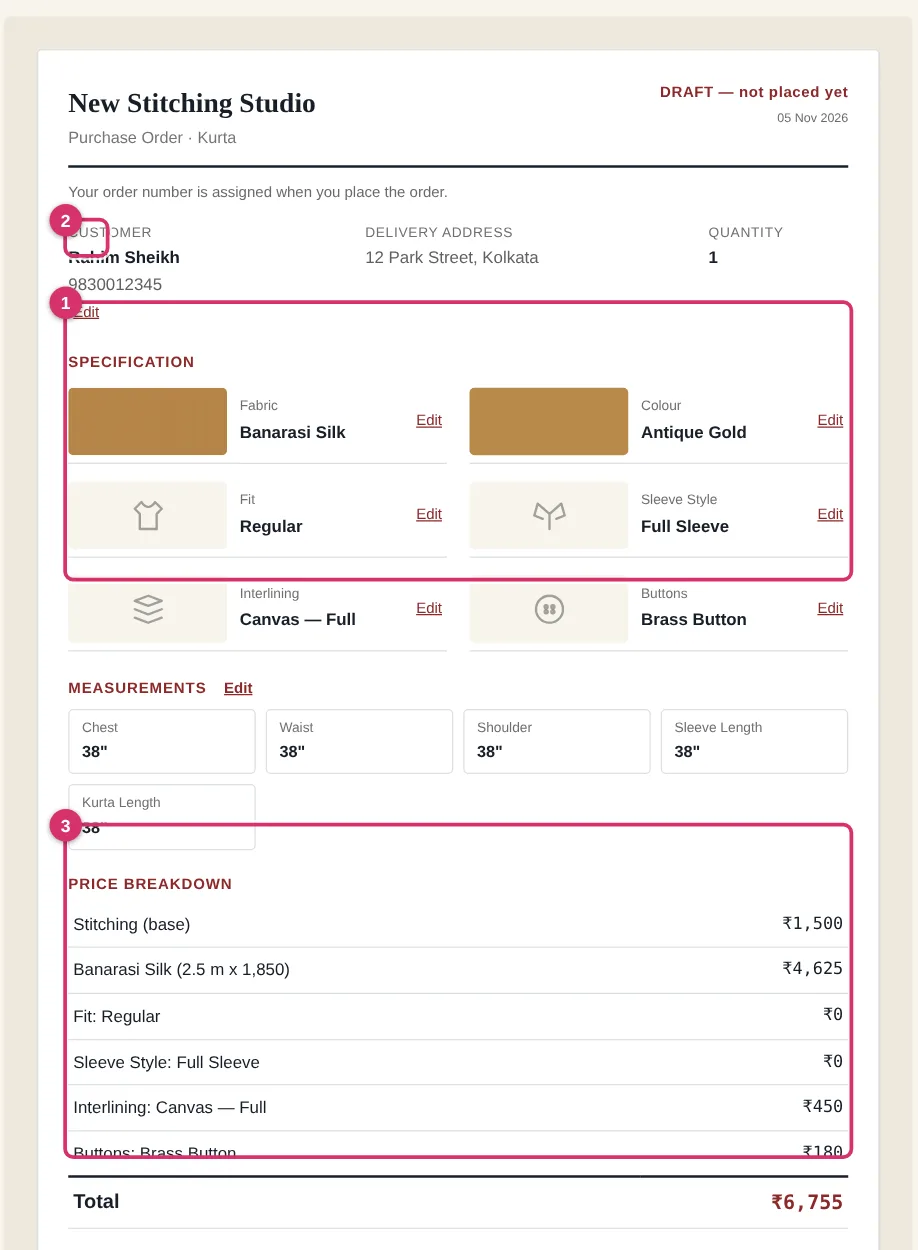
This is exactly what the workshop will receive: every choice with its photo, your measurements and a price breakdown calculated by the server. Use “Edit” beside any line to go back and change it. You can print or save it as PDF.

Check your Purchase Order
  1. 1 Your choices with photos
  2. 2 Edit any line
  3. 3 Final price breakdown
6

Pay and place the order

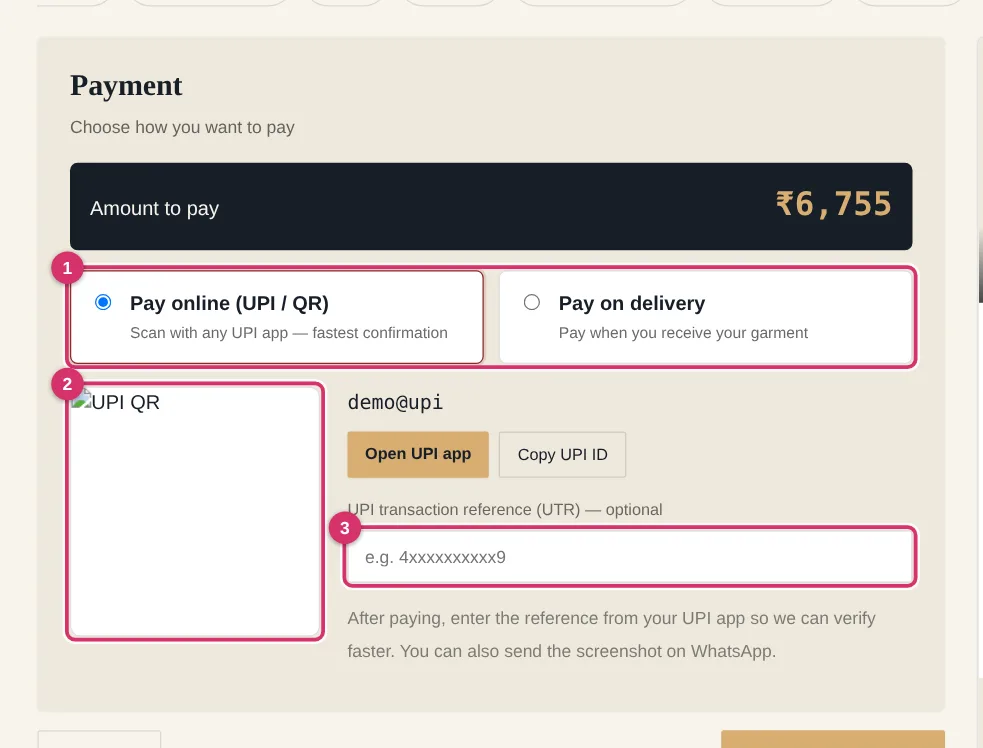
Choose UPI (scan the QR with any UPI app, then type the transaction reference) or pay on delivery. Press “Place order” — you get an order number, a PO and an invoice you can download.

⚠ Be careful: Your order is confirmed only after the studio verifies the payment or calls you for cash on delivery.
Pay and place the order
  1. 1 Choose how to pay
  2. 2 Scan with any UPI app
  3. 3 Type the UPI reference